ຟອນທາງການ ສປປ ລາວ · Official Lao Font v4.103
Phetsarath OT — the official Lao font, rebuilt.
ຟອນລາວທາງການ ສະບັບປັບປຸງໃໝ່: ໑໒ ນ້ຳໜັກ, ຕັດຄຳຂຶ້ນແຖວໃໝ່ຖືກຕ້ອງໃນ Microsoft Office, ວາງສະຫຼະ-ວັນນະຍຸດຄົບຖ້ວນທຸກນ້ຳໜັກ ແລະ ຮອງຮັບຕົວອັກສອນບາລີ-ສັນສະກຣິດ.
12 weights with true italics · correct Lao word wrapping in Word, Excel & PowerPoint · collision-free mark stacking · Pali/Sanskrit/Kmhmu letters · Windows, macOS, iOS & web. Free under the SIL Open Font License.
What was broken before — and what v4.103 fixes
ສະບັບເກົ່າມີພຽງນ້ຳໜັກດຽວ — ກົດປຸ່ມ B ຫຼື I ໃນ Word ແລ້ວໂປຣແກຣມຕ້ອງປອມຕົວໜາເອງ ເຮັດໃຫ້ຕົວອັກສອນເປື້ອນ
໑໒ ຟອນແທ້: Light ຫາ Black ພ້ອມຕົວອຽງ ໑໒° ທຸກນ້ຳໜັກ — ປຸ່ມ B / I ໃນ Office ເອີ້ນໃຊ້ຟອນແທ້ອັດຕະໂນມັດ
v2.00 had one style only; Word had to synthesize bold/italic. v4 ships 12 real style-linked fonts.
ຂໍ້ມູນພາຍໃນຟອນເສຍຫາຍ (ອ້າງວ່າຮອງຮັບທຸກພາສາໃນໂລກ) ເຮັດໃຫ້ບາງໂປຣແກຣມຕັດແຖວພາສາລາວຜິດພາດ
ແກ້ໄຂຕາມສູດຂອງຟອນ Saysettha (LaoScript) ແລະ ພິສູດແລ້ວດ້ວຍການທົດສອບຈິງໃນ Word, Excel ແລະ PowerPoint — ຕັດຄຳຖືກຂອບເຂດຄຳສະເໝີ
v2's OS/2 tables claimed every codepage in existence, confusing complex-script handling. v4 declares exactly Lao+Thai coverage — verified empirically in Office.
ໃນບາງໂປຣແກຣມ ວັນນະຍຸດລອຍຜິດບ່ອນ ຫຼື ຊ້ອນທັບສະຫຼະ ເພາະຟອນເກົ່າບໍ່ໄດ້ລົງທະບຽນກົດຕຳແໜ່ງແບບ DFLT
ກວດສອບຄົບ ໑,໒໐໔ ຊຸດປະສົມ (ພະຍັນຊະນະ×ສະຫຼະ×ວັນນະຍຸດ) ໃນທຸກນ້ຳໜັກ — ບໍ່ມີການຊ້ອນທັບແມ່ນແຕ່ຈຸດດຽວ
Added DFLT script registration (matching Saysettha) and weight-aware mark lifting; 1,204 combos × 12 fonts verified collision-free.
ຂາດຕົວອັກສອນ ໑໔ ຕົວ ສຳລັບພາສາບາລີ, ສັນສະກຣິດ ແລະ ກຶມມຸ ທີ່ເພີ່ມເຂົ້າ Unicode ປີ 2019
ຄົບແລ້ວ: ຆ ຉ ຌ ຎ ຏ ຐ ຑ ຒ ຓ ຘ ຠ ຨ ຩ ຬ — ທຸກນ້ຳໜັກ ພ້ອມການວາງວັນນະຍຸດຖືກຕ້ອງ
All 14 Unicode-12 letters (U+0E86–U+0EAC), adapted from Noto Sans Lao Looped (OFL) and harmonized to Phetsarath's stroke weight.
ຊື່ PostScript ຜິດມາດຕະຖານ (ມີວົງເລັບ ແລະ ຍະຫວ່າງ) ອາດເຮັດໃຫ້ການສົ່ງອອກ PDF ຜິດພາດ; ຈຳກັດການຝັງຟອນ
ຂໍ້ມູນຟອນສະອາດຕາມມາດຕະຖານ, ຝັງໄດ້ເສລີ (fsType 0), ໃຊ້ໄດ້ທັງ Windows, macOS, iOS ແລະ ເວັບ — ຊຸດດຽວກັນ
Legal PostScript names, unrestricted embedding, version 4.103 supersedes both the old Windows copy and the Souliyo Mac v3 fonts.
ຄວາມສ່ຽງຂອງການປັບປຸງຟອນທາງການ: ຮູບຮ່າງຕົວອັກສອນປ່ຽນ ຫຼື ເອກະສານເກົ່າຈັດໜ້າຄືນໃໝ່
ນ້ຳໜັກປົກກະຕິ (Regular) ໃຊ້ເສັ້ນຂອບ ແລະ hinting ເດີມຂອງສະບັບທາງການ 2012 ບໍ່ປ່ຽນແປງ — ເອກະສານເກົ່າຄົງໜ້າຕາເດີມທຸກປະການ
Regular keeps the official v2.00 outlines and vertical metrics untouched — existing documents don't reflow.
Twelve styles — six weights, each with a true 12° italic
Playground — type your own text, switch weights, drag the size
↘ ດຶງແຈກ່ອງເພື່ອປັບຂະໜາດ — ສັງເກດວ່າຄຳຖືກຕັດຢູ່ຂອບເຂດຄຳສະເໝີ · drag the corner to resize and watch lines break at word boundaries
Download & install — free for everyone under the SIL Open Font License
ZIP · TTF ×12 + ຄູ່ມື + ເອກະສານທົດສອບ
⚠️ ໃຊ້ Word 2010/2013 ຢູ່ບໍ? ການຕັດຄຳອາດບໍ່ເຮັດວຽກ — ອ່ານ FAQ ກ່ອນ
ດາວໂຫລດ ZIPZIP ດຽວກັນ — ໃຊ້ໄດ້ທັງສອງລະບົບ
Configuration profile · ~2.6 MB
Android ບໍ່ອະນຸຍາດໃຫ້ຕິດຕັ້ງຟອນລະບົບເອງ (ນອກຈາກ root) — ແຕ່ແອັບທີ່ຮອງຮັບຟອນເອງ ເຊັ່ນ WPS Office ຫຼື ແອັບແຕ່ງຮູບ ສາມາດໃຊ້ໄຟລ໌ TTF ຈາກ ZIP ໄດ້ · Android has no system-wide font install without root; apps that support custom fonts can load the TTFs directly.
ດາວໂຫລດ TTFຊຸດ webfont ພ້ອມໃຊ້: WOFF2 ທັງ ໑໒ ນ້ຳໜັກ + stylesheet ສຳເລັດຮູບ — ແຕກ ZIP ໃສ່ໂປຣເຈັກຂອງທ່ານ ແລ້ວລິ້ງ CSS ດຽວ · Ready-made webfont kit: 12 WOFF2 files + stylesheet + demo page. Unzip into your project and link one CSS file:
Or hotlink directly from this site:
<link rel="stylesheet"
href="https://phetsarath.mts.la/fonts/phetsarath.css">
(fonts are served with CORS enabled). Also available:
Word test document
Teach your AI to write Lao correctly
AI ສ່ວນຫຼາຍ (Claude, ChatGPT, Codex, Cursor) ສ້າງເອກະສານ Word ພາສາລາວແບບຕັດຄຳຜິດ ເພາະບໍ່ຮູ້ຈັກກົດ complex-script ຂອງ Word — ພວກເຮົາຈຶ່ງກຽມຄູ່ມືສອນ AI ໄວ້ໃຫ້ ເລືອກຕາມເຄື່ອງມືທີ່ທ່ານໃຊ້:
Most AI assistants generate Lao Word documents with broken line wrapping (splitting words like ອັກ|ສອນ) because they don't know Word's complex-script rules. These files teach them — pick the one matching your tool:
ດາວໂຫລດ skill ແລ້ວແຕກໄຟລ໌ໃສ່
.claude/skills/ ໃນໂປຣເຈັກ (ຫຼື
~/.claude/skills/ ສຳລັບທຸກໂປຣເຈັກ) — skill
ຈະເຮັດວຽກອັດຕະໂນມັດເມື່ອສ້າງເອກະສານພາສາລາວ
Unzip into .claude/skills/; activates automatically
when generating Lao documents.
ດາວໂຫລດ AGENTS.md ແລ້ວວາງໄວ້ຮາກຂອງໂປຣເຈັກ — coding
agent ສ່ວນຫຼາຍຈະອ່ານໄຟລ໌ນີ້ເອງອັດຕະໂນມັດ
Place AGENTS.md in your project root — most coding
agents read it automatically.
ວາງລິ້ງນີ້ໃສ່ໃນ prompt ຂອງທ່ານ ໃຫ້ AI ອ່ານກ່ອນສ້າງເອກະສານ:
https://phetsarath.mts.la/ai/SKILL.md
Paste this link into any AI chat prompt so it reads the rules first.
ອ່ານຄູ່ມື SKILL.mdFAQ — from real user reports
ການຕັດຄຳລາວແມ່ນໜ້າທີ່ຂອງ Word ບໍ່ແມ່ນຂອງຟອນ — ຟອນທຸກຕົວໃນໂລກບໍ່ສາມາດບັງຄັບ Word ຮຸ່ນເກົ່າໃຫ້ຕັດຄຳໄດ້ ເພາະລະບົບຕັດຄຳຢູ່ໃນໂຕ Word ເອງ:
✅ Microsoft 365 / 2021 / 2019 / 2016 — ຕັດຄຳລາວໄດ້ເອງ
(ເປີດພາສາລາວຕາມຄຳແນະນຳຂ້າງລຸ່ມ)
⚠️ Word 2013 / 2010 — ລະບົບຕັດຄຳຮຸ່ນເກົ່າ (Uniscribe)
ຕັດຄຳລາວບໍ່ສະຖຽນ — ຟອນນີ້ໃສ່ຂໍ້ມູນຊ່ວຍໃຫ້ເຮັດວຽກໄດ້ດີສຸດແລ້ວ
(ແບບດຽວກັບຟອນ Saysettha) ແຕ່ບາງເຄື່ອງກໍຍັງບໍ່ຕັດ —
ນີ້ບໍ່ແມ່ນຟອນເສຍ
❌ Word 2007 ລົງໄປ — ບໍ່ຮອງຮັບ
ວິທີແກ້ສຳລັບ Word 2010/2013: ໃຊ້ມາໂຄຣ LaoWrapMacro.bas (ໃຊ້ໄດ້ທຸກຮຸ່ນ) — ສ່ວນ Add-in Lao Text Fixer ໃຊ້ໄດ້ສະເພາະ Word 2016 ຂຶ້ນໄປ. ຖ້າເປັນໄປໄດ້ ແນະນຳອັບເກຣດເປັນ Office 2016 ຂຶ້ນໄປ ຈະຕັດຄຳໄດ້ທັນທີ
Lao line breaking is done by Word's engine, not the font — no font can force old Word to wrap. Word 2016+ wraps natively; Word 2010/2013 use the legacy Uniscribe engine and may still fail even though this font ships the same compatibility metadata as the Saysettha fonts. On 2010/2013 use the LaoWrapMacro (works on every version); the add-in needs Word 2016+. Upgrading Office fixes it outright.
Microsoft 365 ຮຸ່ນປັດຈຸບັນຕັດຄຳລາວໄດ້ເອງ ຫາກຂອງທ່ານບໍ່ຕັດ: ໄປທີ່ File → Options → Language ໃນສ່ວນ Office authoring languages and proofing ກົດ Add a language… ເລືອກ ລາວ (Lao) ແລ້ວປິດ-ເປີດ Word ຄືນ ຈາກນັ້ນເລືອກຂໍ້ຄວາມລາວທັງໝົດ → Review → Language → Set Proofing Language → ລາວ
ໝາຍເຫດ: ຖ້າ Word ຂຽນວ່າ "Missing Proofing Tools — proofing is not available in Lao" ບໍ່ຕ້ອງກັງວົນ — ນັ້ນໝາຍເຖິງແຕ່ການກວດຄຳຜິດ (spell check) ເຊິ່ງ Microsoft ຍັງບໍ່ມີສະບັບພາສາລາວ ສ່ວນການຕັດຄຳຂຶ້ນແຖວໃໝ່ຍັງເຮັດວຽກປົກກະຕິ ເພາະເປັນຄົນລະລະບົບກັນ
ໃນ macOS: ເລືອກຂໍ້ຄວາມລາວ → ເມນູ Tools → Language → ລາວ (Lao) — ມາໂຄຣ LaoWrapMacro.bas ໃຊ້ໄດ້ໃນ Word for Mac ເຊັ່ນກັນ
ຖ້າຍັງບໍ່ຕັດ: ຕິດຕັ້ງ Lao Text Fixer — Word Add-in ຟຣີຂອງພວກເຮົາ (Windows / macOS / Word ໃນເວັບ, ບໍ່ແມ່ນມາໂຄຣ ບໍ່ມີຄຳເຕືອນຄວາມປອດໄພ) ກົດປຸ່ມດຽວແກ້ໄຂທັງເອກະສານ ຫຼື ດາວໂຫລດ LaoWrapMacro.bas ມາໂຄຣ VBA ສຳລັບເຄື່ອງທີ່ໃຊ້ອິນເຕີເນັດບໍ່ໄດ້
Modern M365 wraps Lao natively; if not, add Lao under Office authoring languages and proofing and tag the text via Review → Language. The "Missing Proofing Tools" notice only means no Lao spell-checker exists — wrapping is a separate engine and still works. Otherwise install our free Lao Text Fixer add-in (Windows/Mac/web, no macro warnings) or the VBA macro for offline machines.
ຕັ້ງແຕ່ v4.103 ຟອນໄດ້ຮັບການແກ້ໄຂໃຫ້ທົນທານຕໍ່ການແປງ PDF ຫຼາຍຂຶ້ນ (ທຸກ glyph ມີລະຫັດ Unicode ຄົບ) — ກະລຸນາອັບເດດຟອນເປັນຮຸ່ນລ່າສຸດ
ແນະນຳໃຫ້ໃຊ້ File → Save As → PDF ໃນ Word ຮຸ່ນໃໝ່ (ບໍ່ແມ່ນ "Microsoft Print to PDF") ຜົນອອກມາຈະສະແດງ ຳ ຄົບຖ້ວນ
v4.103 PUA-maps every glyph so PDF subsetters never drop the am-ring. Note: copying Lao text OUT of any PDF is unreliable industry-wide (engines decompose ຳ internally) — keep the .docx as the editable source.
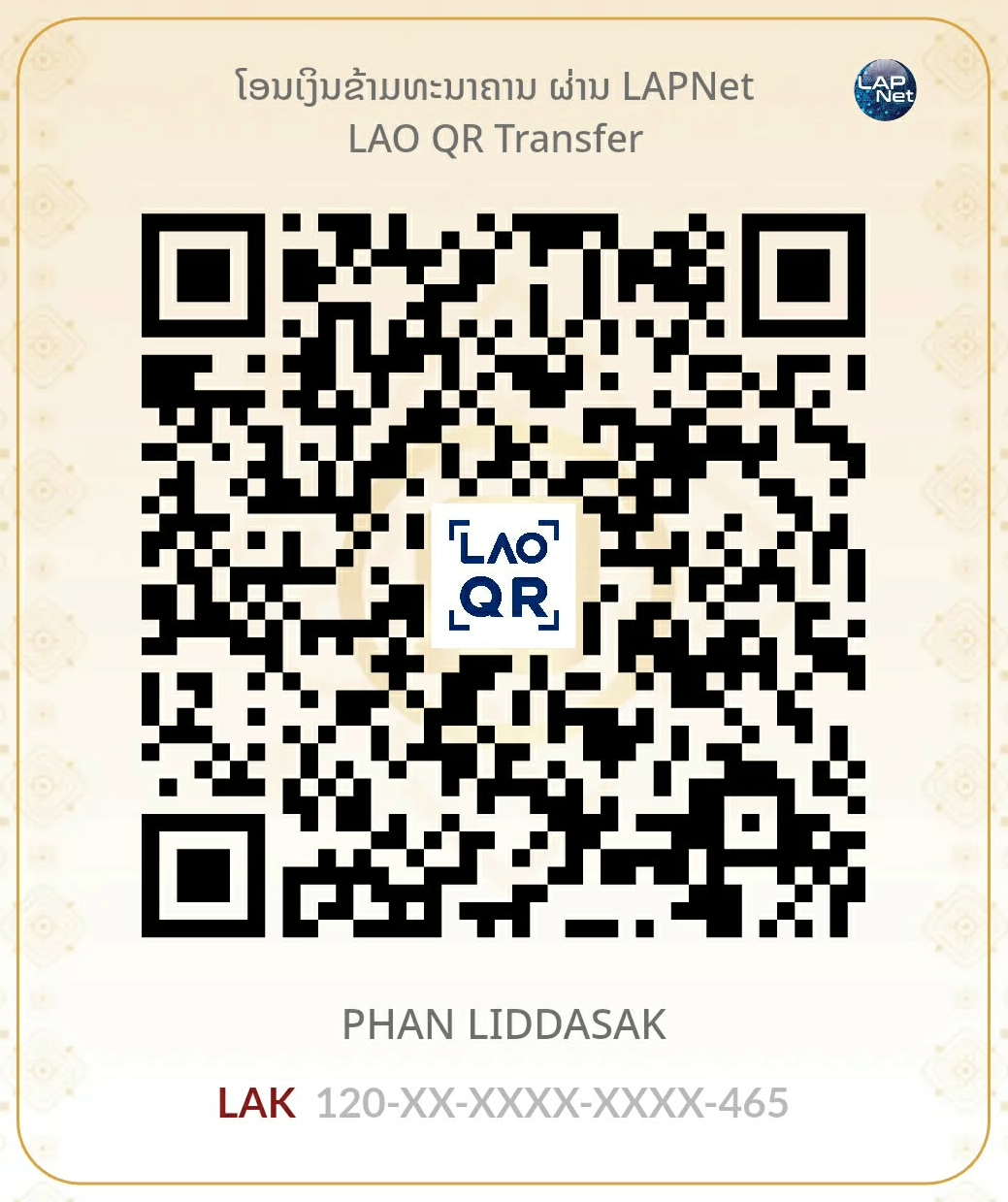
Support the creator — buy me a coffee
ຟອນນີ້ແຈກຟຣີຕະຫຼອດໄປ ພາຍໃຕ້ໃບອະນຸຍາດ SIL OFL — ຫາກຟອນນີ້ມີປະໂຫຍດຕໍ່ວຽກຂອງທ່ານ ແລະ ຢາກລ້ຽງກາເຟຜູ້ພັດທະນາ ສາມາດສະແກນ LAO QR ດ້ວຍແອັບທະນາຄານຂອງທ່ານ (BCEL One, M-Money ຫຼື ແອັບໃດກໍໄດ້ທີ່ຮອງຮັບ LAO QR)
This font is free forever under the SIL Open Font License. If it helps your work, you can support the developer with any Lao banking app that supports LAO QR. ຂອບໃຈຫຼາຍໆ 🙏